
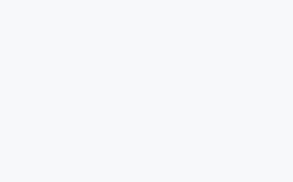

1、Select your cabinet, right-click and choose the Edit element menu.
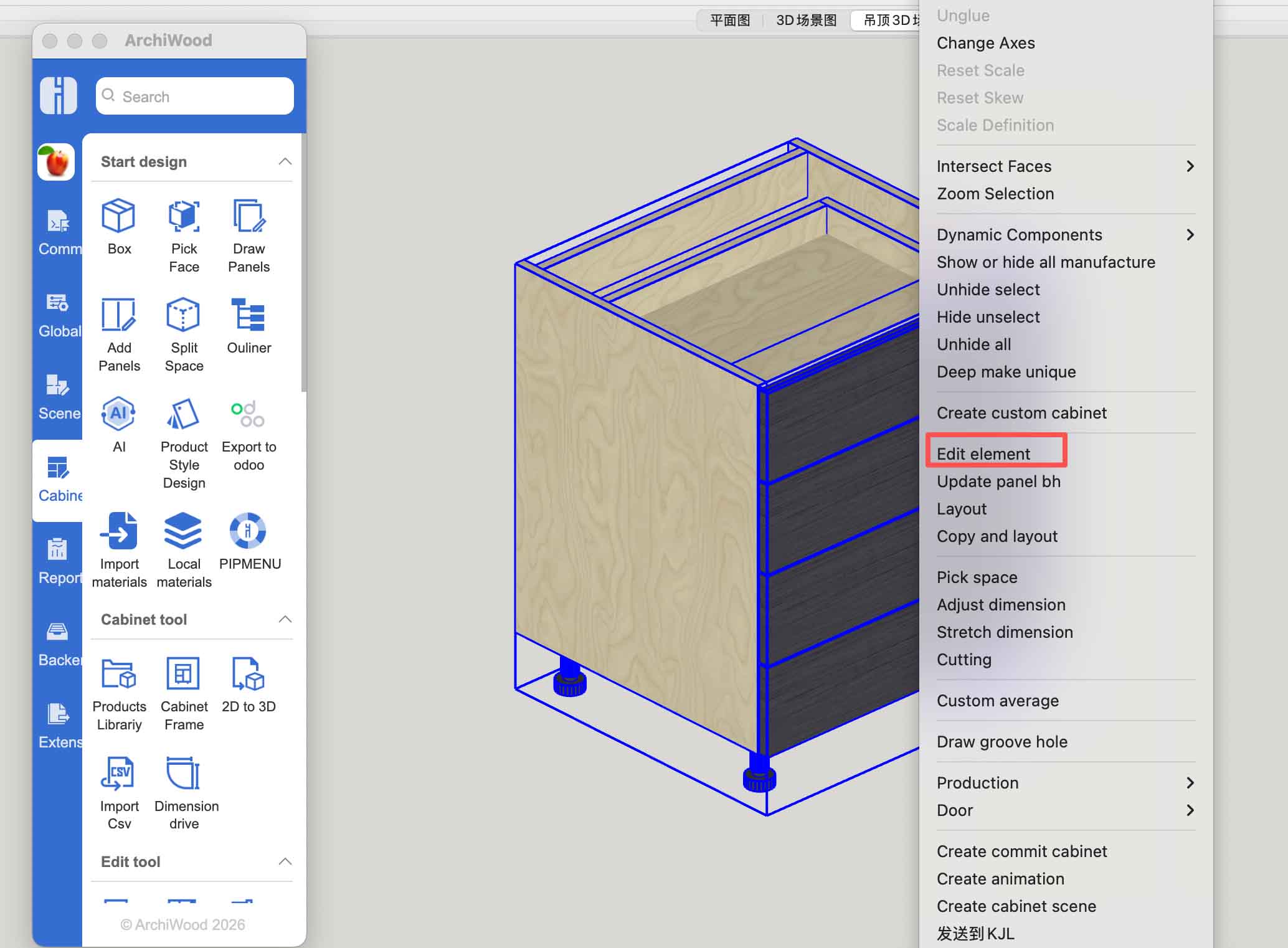
2、In the editor window, check this option and set it to All to ensure all parameters are displayed.
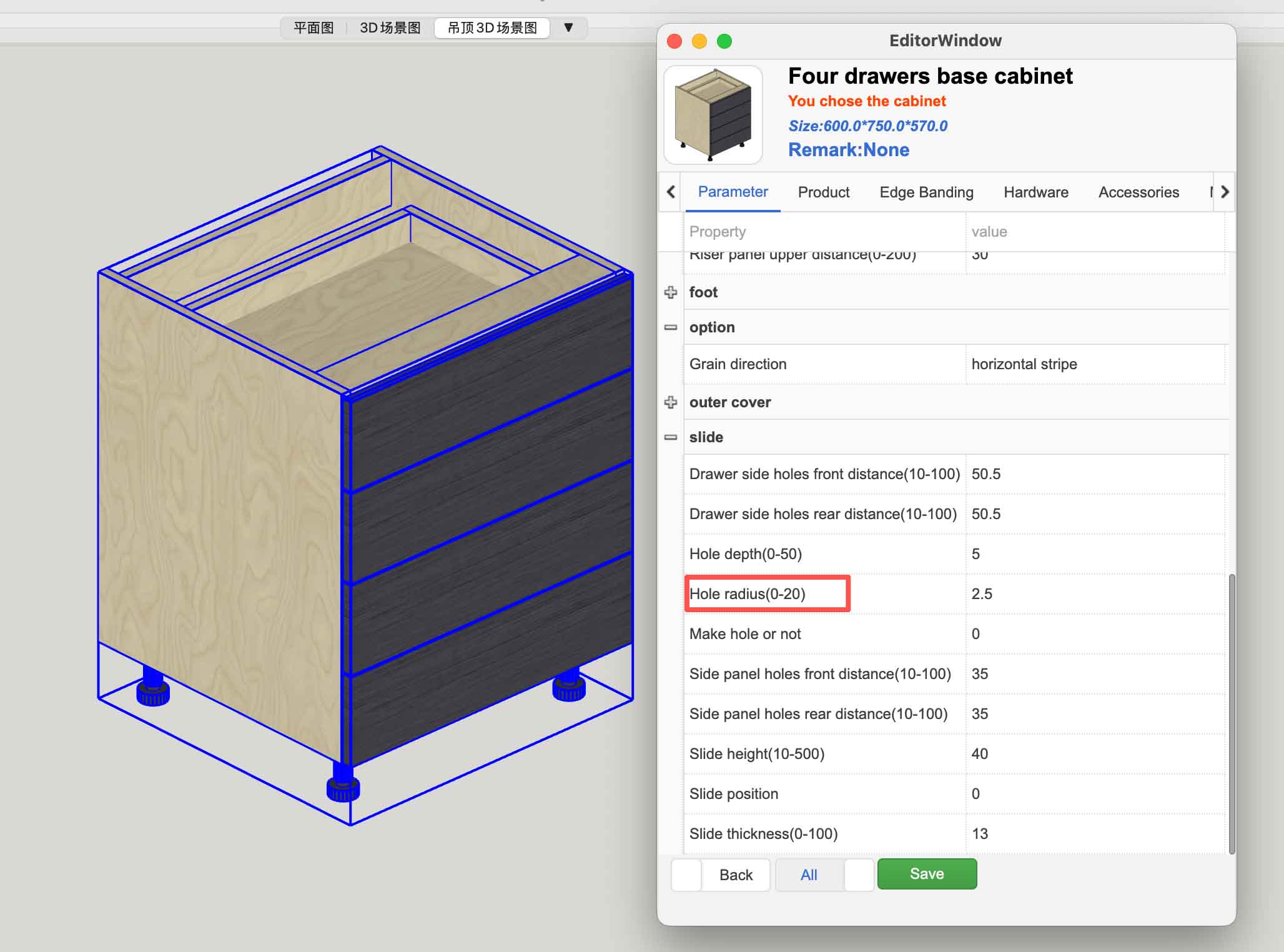
3、For example, if you want to set a default value of 5 for a parameter, double‑click the parameter name.
4、In the pop‑up dialog box, enter the value 5.
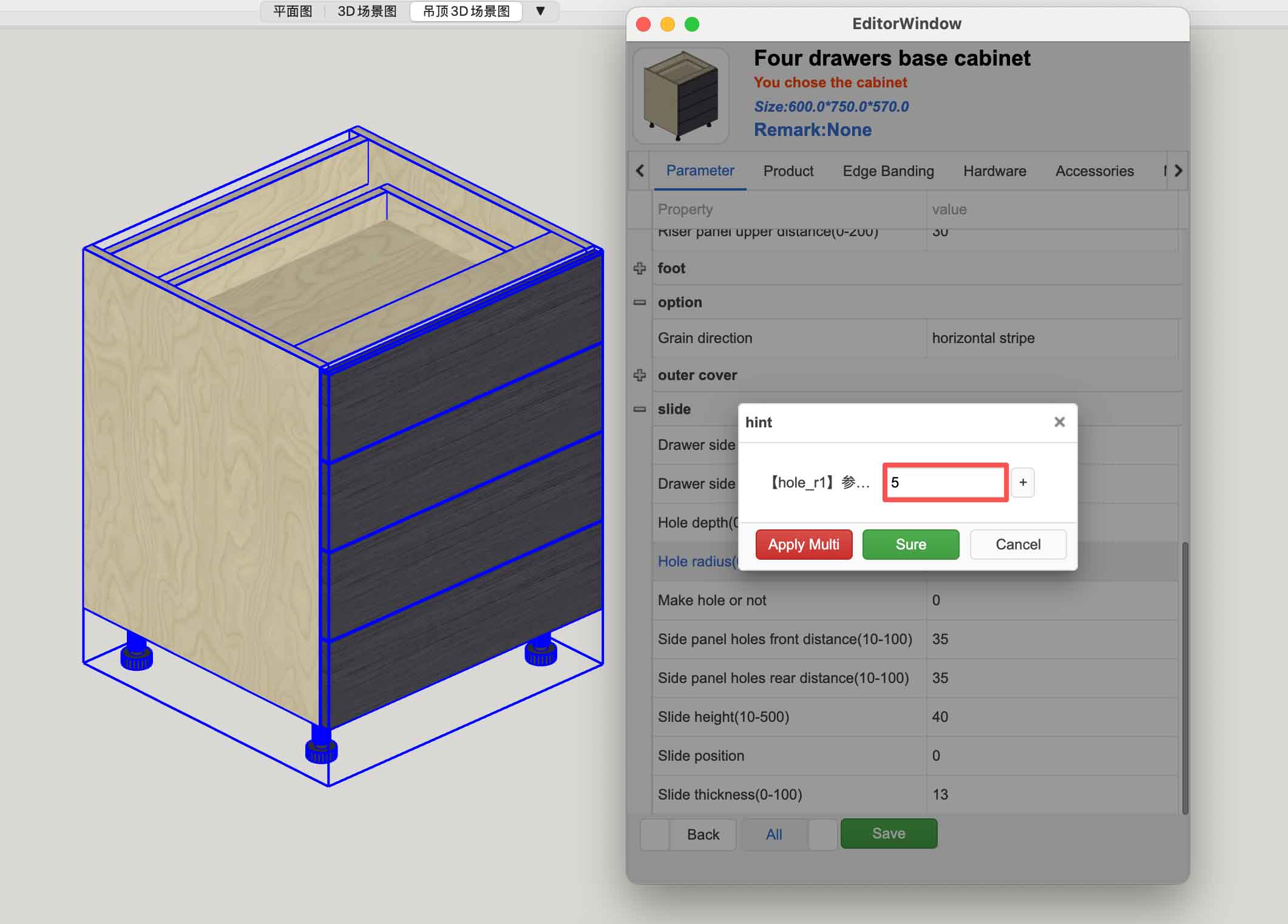
5、Then click the + button. A dialog box will appear, prompting you to select a global scheme name.

6、You can choose the default 18mm thick progress or your own parameter scheme.
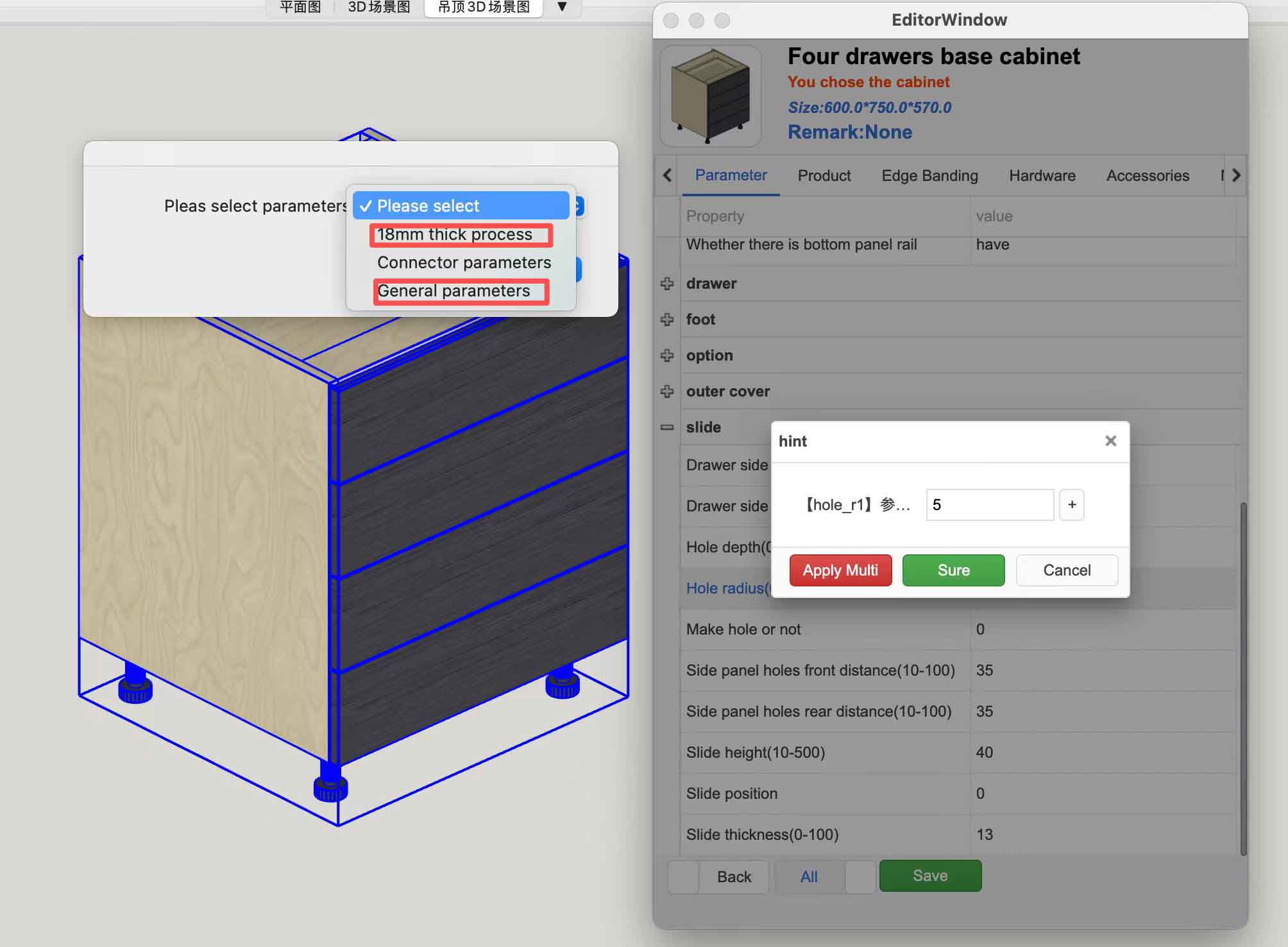
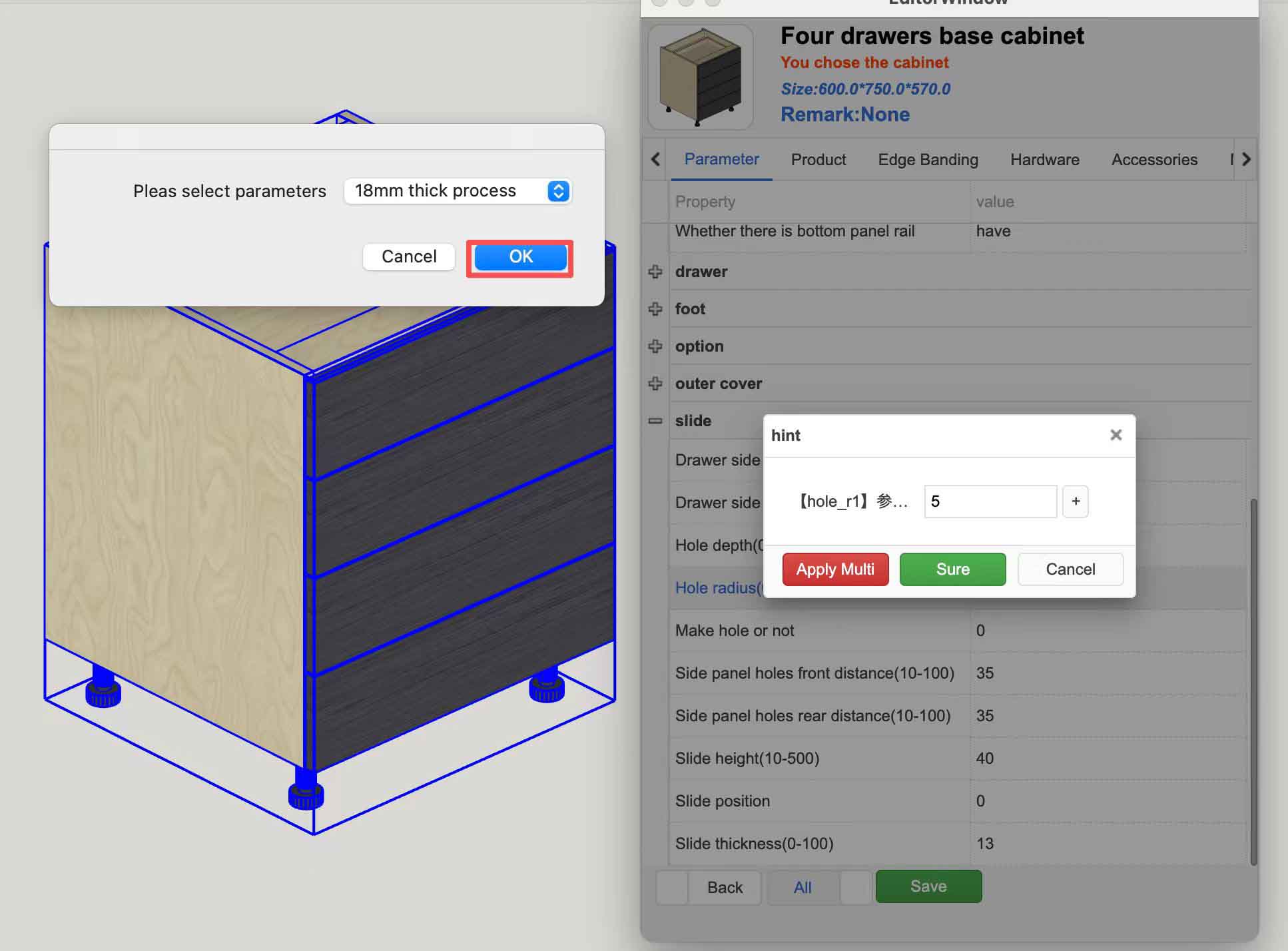
7、After selecting, click the OK button.
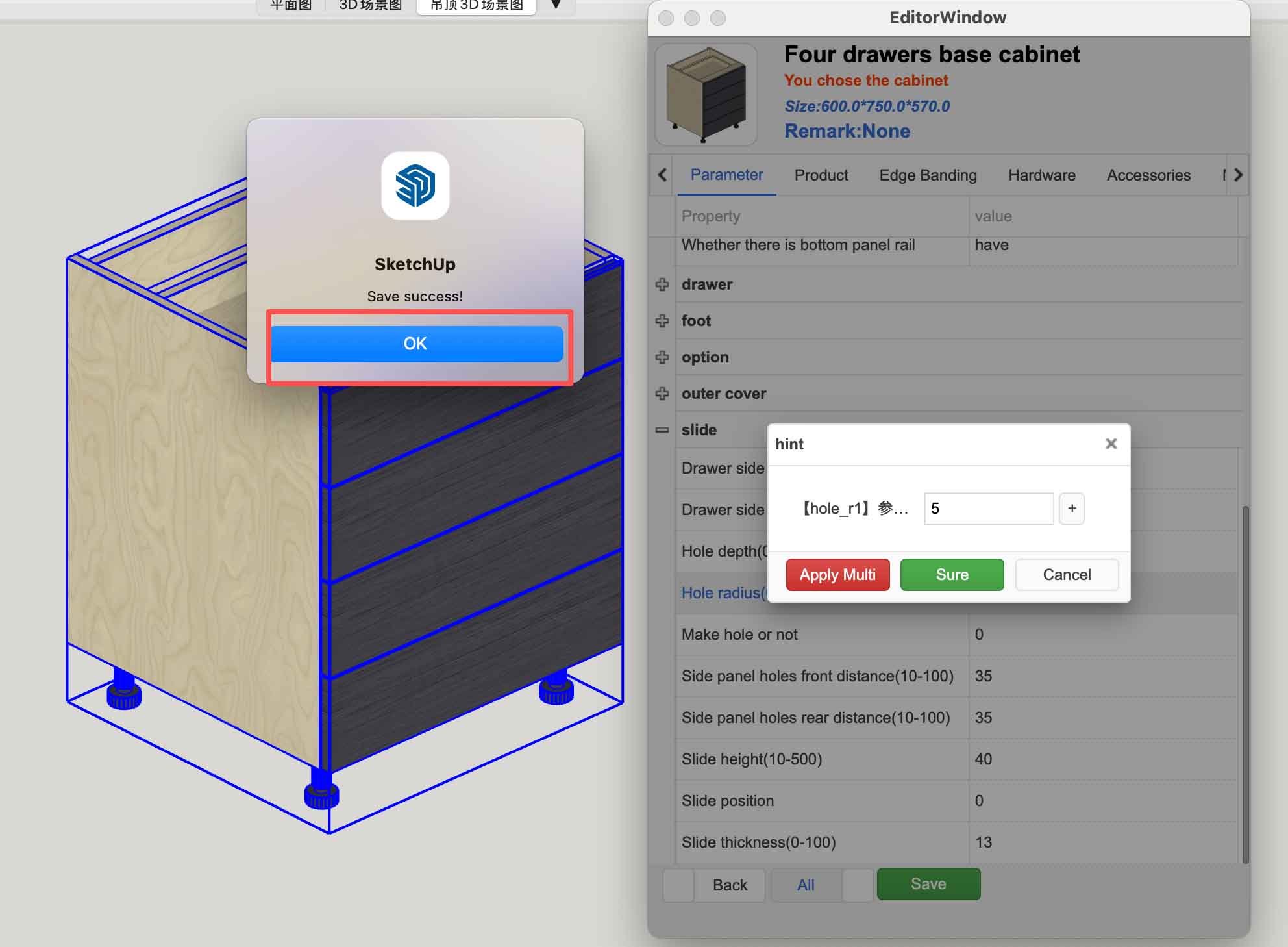
8、If added successfully, a Saved successfully message will appear.
9、After completion, you can open the Global Default Parameters dialog box to verify that the setting was successful.
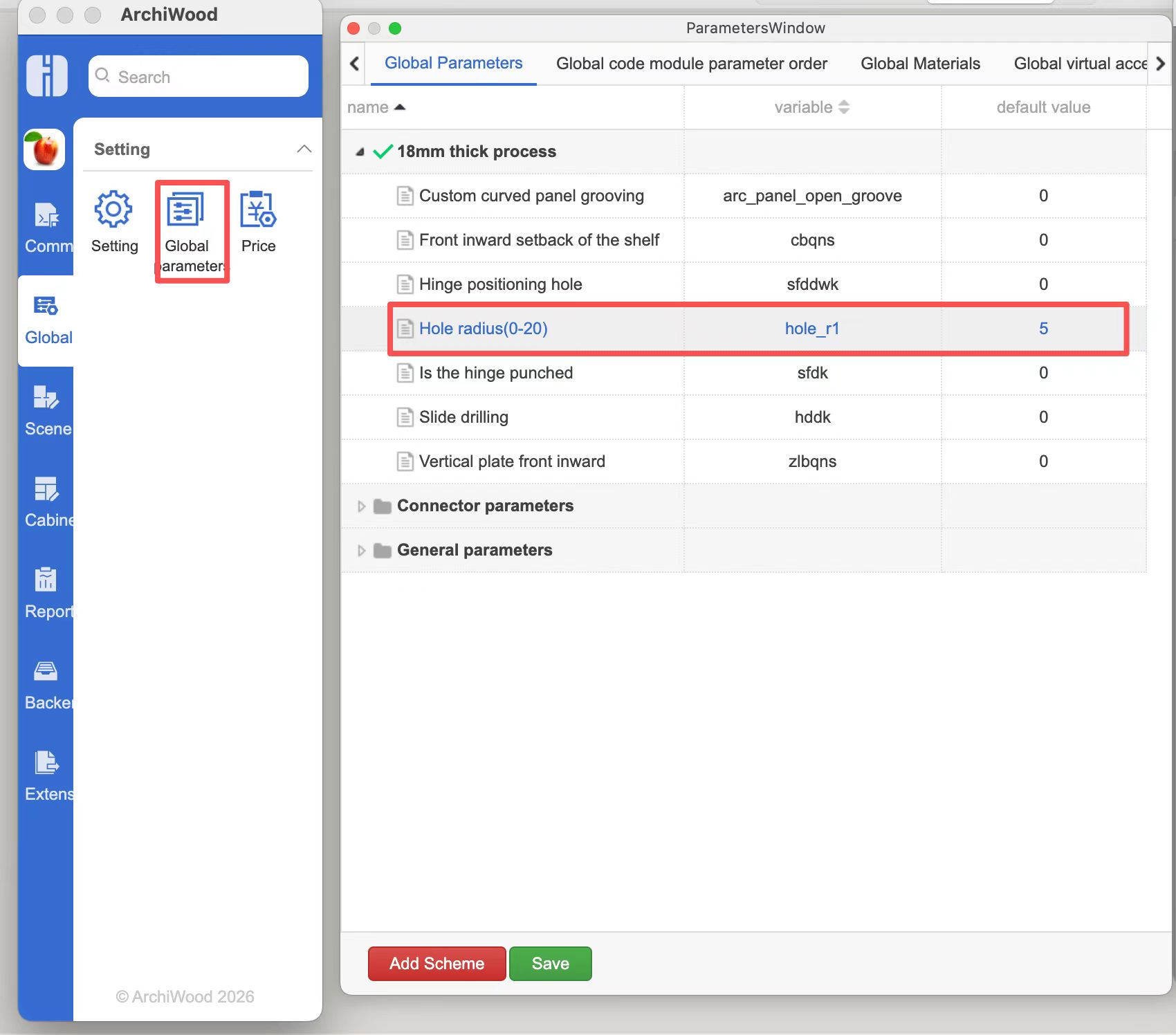
10、Once confirmed, restart SketchUp. The next time you use this model, it will use the parameter values you have defined.
The full name of ArchiWood is ArchiWood&ArchiNet Furniture Design System, which is a professional furniture design software based on SketchUp platform for secondary development (allowing you to encounter the best design tools). Building wooden nests fully inherits various excellent features of SketchUp, including easy learning and use, free design, powerful and unique shapes, integrated doors, walls, and cabinets, one click reporting/hardware, diverse production processes, and design ready production. Building wooden nests is also very suitable for SketchUp users to carry out indoor forward full process design. For inquiries, please add Whatsapp:+ 82 66030056 WeChat 1: pf106055 WeChat 2: sketchupvray Email: 272447833@qq.com
Zhumu Nesting Official Website: http://www.archiwood.cn
